Good AI and agent output rests on one thing: clean context. This article walks you through the ideal setup in awork in just a couple of steps.
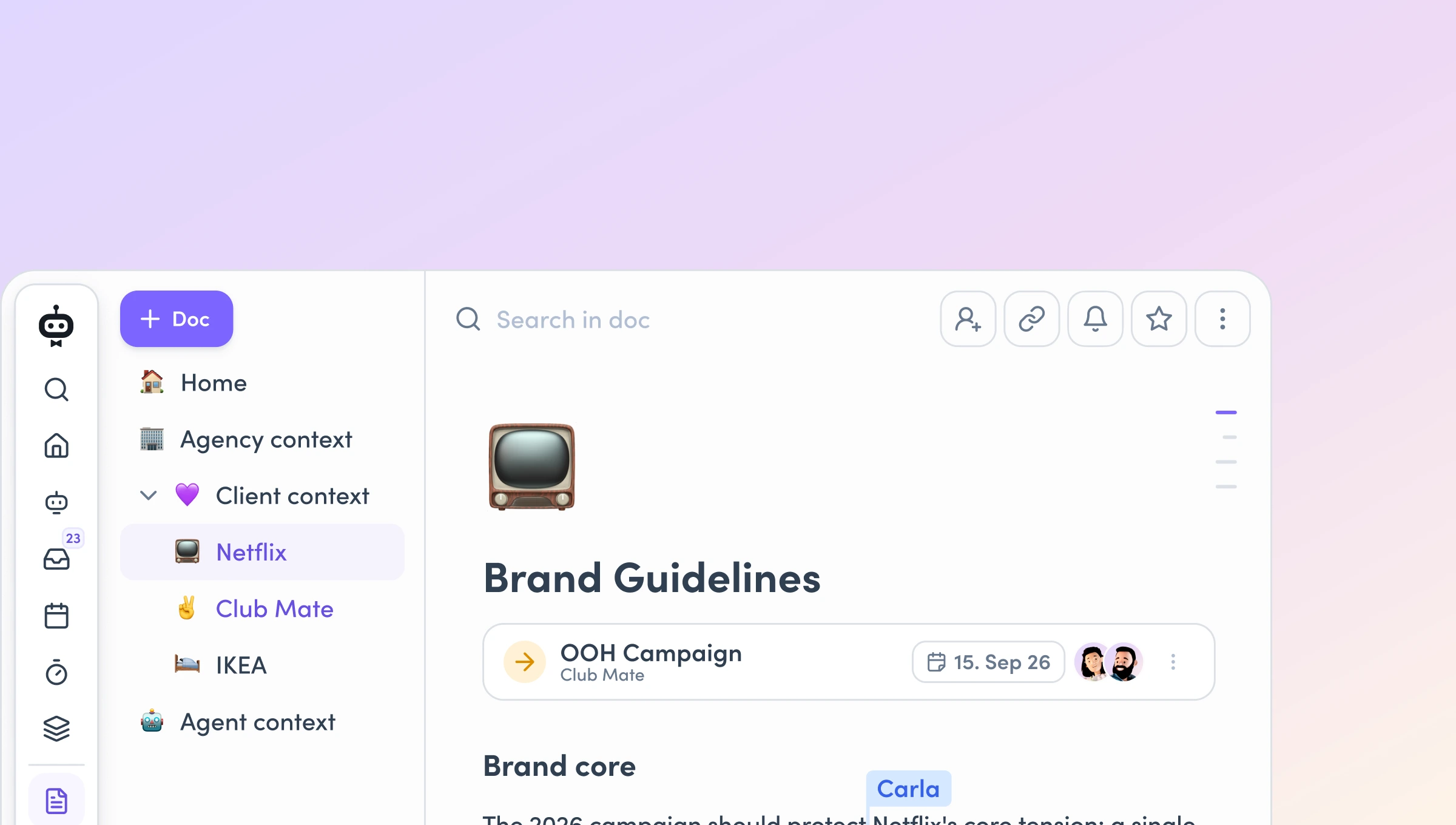
Here's how it works: first you set up your written knowledge – agency context and client context in awork Docs.
Then you make sure your project and team data all come together in awork. In the end you've got everything you need to run the agency in one place.
📄 Why awork Docs?
Because your context lives where the work happens – right next to projects, tasks and times. Readable and (for some) editable for your whole team, usable by AI. Maintained centrally once, instead of copied into every prompt.
📦 Already got knowledge in Notion, Confluence, Drive and co? Migrate vs. start fresh.
Only move what's current and reusable – brand, personas, rate cards, processes. Overgrown or outdated knowledge is better rebuilt cleanly from scratch. And: start with the agency context plus 1–2 pilot clients rather than everything at once.
Set up the Agency context
1. Agency profile & services
who you are, your core services, how you're structured (disciplines, departments).
2. Ways of working & methods
your standard project flow (such as: briefing → kick-off → concept & cost estimate → design/copy → internal QA & written sign-off → final files & handoff)
plus your principles (e.g. always one round of revisions, sign-offs in writing only, legal/compliance check before every launch).
3. Rate cards
your standard hourly rates per discipline. Note in the doc: client-specific exceptions live in the client profile and take priority.
4. Internal guidelines
file storage & naming, confidentiality (no client data in external tools without sign-off), AI rules (human-in-the-loop: check AI outputs before they reach the client), communication rules (e.g. bundle your questions).
5. Corporate design
brand idea, logo rules (clear space, minimum width), colours as hex codes, typography, and your agency's tone of voice (e.g. direct, precise, no superlatives; German or English as default).
Client context: one doc per client
1. Brand & tone of voice
brand core, positioning, values, how the brand speaks, hard word rules and any required disclaimers. Plus visual identity (colours/hex, photo & design rules) and legal guidelines (banned claims, don't name competitors publicly).
2. Stakeholders & sign-off process
Create a table: who's who, role, responsibility (sign-offs, briefings, legal). Plus the sign-off chain (e.g. Product Marketing Manager first, then Head of Marketing), in writing, with the usual response time and a freeze rule (nothing happens without sign-off from the person in charge).
3. Terms & specifics
special terms/rate exceptions (e.g. retainer discount), hard rules (e.g. certain visuals are off-limits), priorities (e.g. two weeks before the trade show everything else takes a back seat), day-to-day communication style.
4. Personas
briefly per persona: short profile, goals & needs, barriers/pain points, channels used, tone (what draws them in, what puts them off), triggers & dealbreakers.
👤 Assign ownership – one person maintains, everyone else reads.
Give one person responsibility per area: account managers for the client context, project leads for the project context. They keep the info up to date day by day – from a new contact to a strategic shift. Everyone else stays out of the docs. (Details in the FAQ.)
Project & team context
Lives in: your awork projects, in the awork Planner and in your time entries – plus a short project doc per project.
AI and agents don't just need written knowledge, they need your agency's living data: who's working on what, how busy your teams are, what's been booked to which project. That comes together when project planning, capacity planning and time tracking all happen in awork.
Project level (per project):
- Project profile – briefing, budget, planned timeline and reference/example projects as a short doc in the project.
- Project planning in awork – tasks, lists/boards, milestones and schedules maintained in the project, not in tools on the side.
- Time tracking switched on – logged times and billable hours come together per project and task in awork.
[.b-button-primary]Project management with awork[.b-button-primary]
Team level (once for the agency):
- Team structure & roles – who belongs to which team, who does what.
- Skills & availability – people's skills and working hours on file, so capacity can be planned.
- Calendars connected – everyone connects their calendar, so appointments and absences flow into the planning automatically.
- Capacity & resource planning – your teams' utilisation is visible and up to date in the awork Planner.
[.b-button-primary]Capacity planning with awork[.b-button-primary]
That way you've got project planning, capacity planning and time tracking in one place – the data foundation that AI and agents can later use to run half the agency for you.
The one rule of thumb
Maintain context centrally, once. When something changes – a persona, a rate card, a sign-off process – you change it once in the doc, and everyone who works with it uses the latest version from then on. No fiddling with prompts, no admin rights needed.
FAQ
Why does everything have to live in awork – why not just in the prompt or in Drive?
Because your context should live where the work happens. Your projects, tasks, schedules, resources and documented knowledge already sit together in awork – Docs plug in right next to them.
Three reasons this beats stuffing everything into a prompt or an external tool:
- Changes – anyone on the team can read and edit Docs, without AI know-how, without admin rights, without wrestling through an agent configuration. When the client changes a persona, you change it once in the doc, and everyone uses the new version from then on.
- Consistency – one central place means: same input, same result. Copy knowledge into every prompt or spread it across five tools, and it drifts apart.
- Permissions – agents always work with the access rights of the person running them. If the context lives in awork, your existing permission system applies automatically, and separate client teams stay cleanly separated.
One important clarification: "everything in awork" doesn't mean "everything in one doc". Written knowledge (agency, client) belongs in awork Docs; the living project and team data (planning, capacity, times) live in your projects and in the awork Planner. Both in one place, under one permission system – that's the point.
We already have knowledge in Notion, Confluence, Drive and co – migrate or start fresh?
Rule of thumb: migrate what's current and reusable – a well-kept brand guide, clean persona docs, processes, rate cards. Rebuild what's overgrown – outdated wikis, storage spread across several places, "we never found the right home for it". Migrating chaos just means importing chaos; it's often faster to fill this checklist's clear structure fresh, once, with where things stand today.
A practical note on the how: simply pointing the AI at your entire Google Drive doesn't work well right now (the connection gets overloaded, local syncing pulls in huge amounts of data). So be selective – not the whole archive at once, but the agency context plus 1–2 pilot clients. Later you can build your own agents that help fill and update the docs.
Who keeps the context up to date?
One clearly named person per area – otherwise the most annoying thing of all happens: the info goes stale, and then team and AI fail alike. Hand responsibility to the account managers (client context) and the project leads (project context). Their job isn't to file every email – it's to secure the current source of truth: a new contact, changed terms, a shift in strategic direction. That has to be up to date, day by day.
Just as important: everyone else stays out of these docs. A single owner stops conflicting versions from creeping in. And once you're further along, you can build agents that prep docs or suggest updates – the final sign-off stays with the owner.
[.b-button-primary]Request your demo[.b-button-primary]