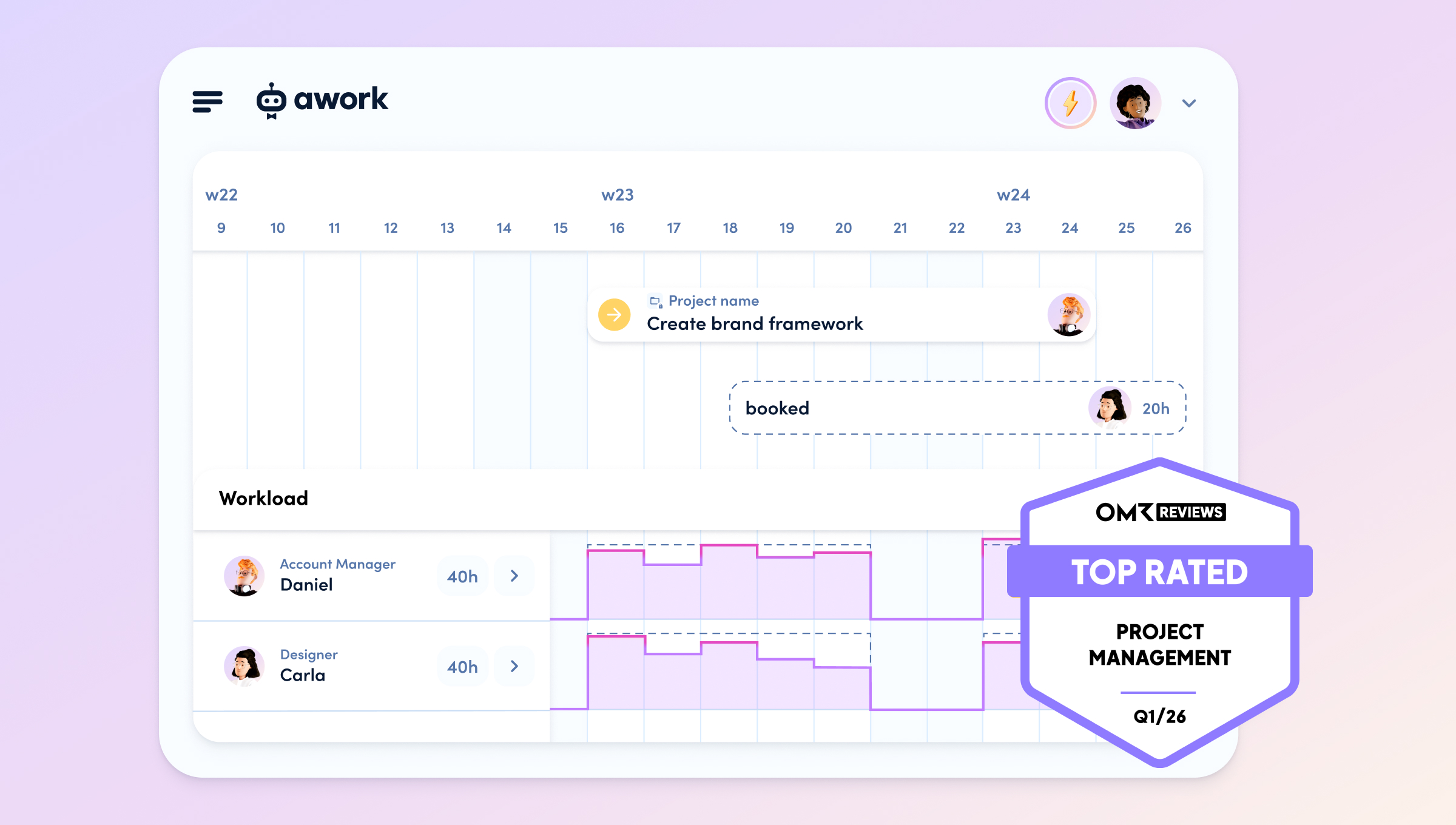
[.b-important-block]awork handles project planning, resourcing and time tracking; helloHQ handles quotes, invoicing and financial controlling. The interface keeps tasks and projects visible in both directions and pushes tracked time from awork to helloHQ. That removes the manual handovers between sales, delivery and finance, so you see budget, utilisation and margin in real time.[.b-important-block]
[$tag]💡 Good to know[$tag]
The awork helloHQ integration is a standard interface that connects the project management tool awork with the agency software helloHQ. It syncs projects, tasks and time automatically between both pieces of software.
What is the awork helloHQ integration?
The integration connects two specialised tools into one end-to-end agency workflow. awork plans, helloHQ invoices. Projects, tasks and time move automatically between both systems through the interface, so you maintain your data only once and sales, delivery and finance all see the same status.
Many agencies pick the best tool for each area of control and need integrations to prevent data silos and manual copy-paste handovers. The awork helloHQ integration resolves that conflict: you keep the strengths of both tools and remove the silo in between. That is the heart of a best-of-breed setup – specialised software without the effort of duplicate maintenance.
More than 100 customers already use the interface; such as ContentFleet, with over 400 users. 💡
[.no-toc]Who does what: awork or helloHQ?[.no-toc]
awork and helloHQ split the agency workflow cleanly. awork covers operational project management, helloHQ covers commercial management.
::table::
Task | awork | helloHQ
CRM & Lead management| ❌ | ✅
Offers & calculation | ❌ | ✅
Project & task planning | ✅ | ❌
Capacity & ressource planning | ✅ | ❌
Time tracking | ✅ | ❌
Billing & Invoices | ❌ | ✅
Financial Controlling & Margin | ❌ | ✅
Real-time monitoring of project progress | ✅ | ❌
::/table::
The split reflects the reality in agencies: whoever plans and delivers projects needs different features from whoever invoices. Both tools play to their strengths, and the interface keeps them in sync.
How does the process run from start to finish?
The workflow follows six fixed steps from quote to paid invoice. You start commercially in helloHQ, plan and work in awork, and close the project financially back in helloHQ. The interface transfers the data automatically at each handover point.
- Create the project in helloHQ using a template named identically in both tools.
- Cost the quote via service packages, including margin and service periods.
- Create the project plan – the tasks sync to awork.
- Plan capacity in the awork Planner with live data.
- Track time in awork, pushed back to helloHQ automatically.
- Invoice and control in helloHQ by phase, time or retainer.
Each step builds on the previous one, without you transferring any data manually.
[.b-button-primary]Curious? Start a free trial[.b-button-primary]
[.no-toc]How do you set up the project in helloHQ?[.no-toc]
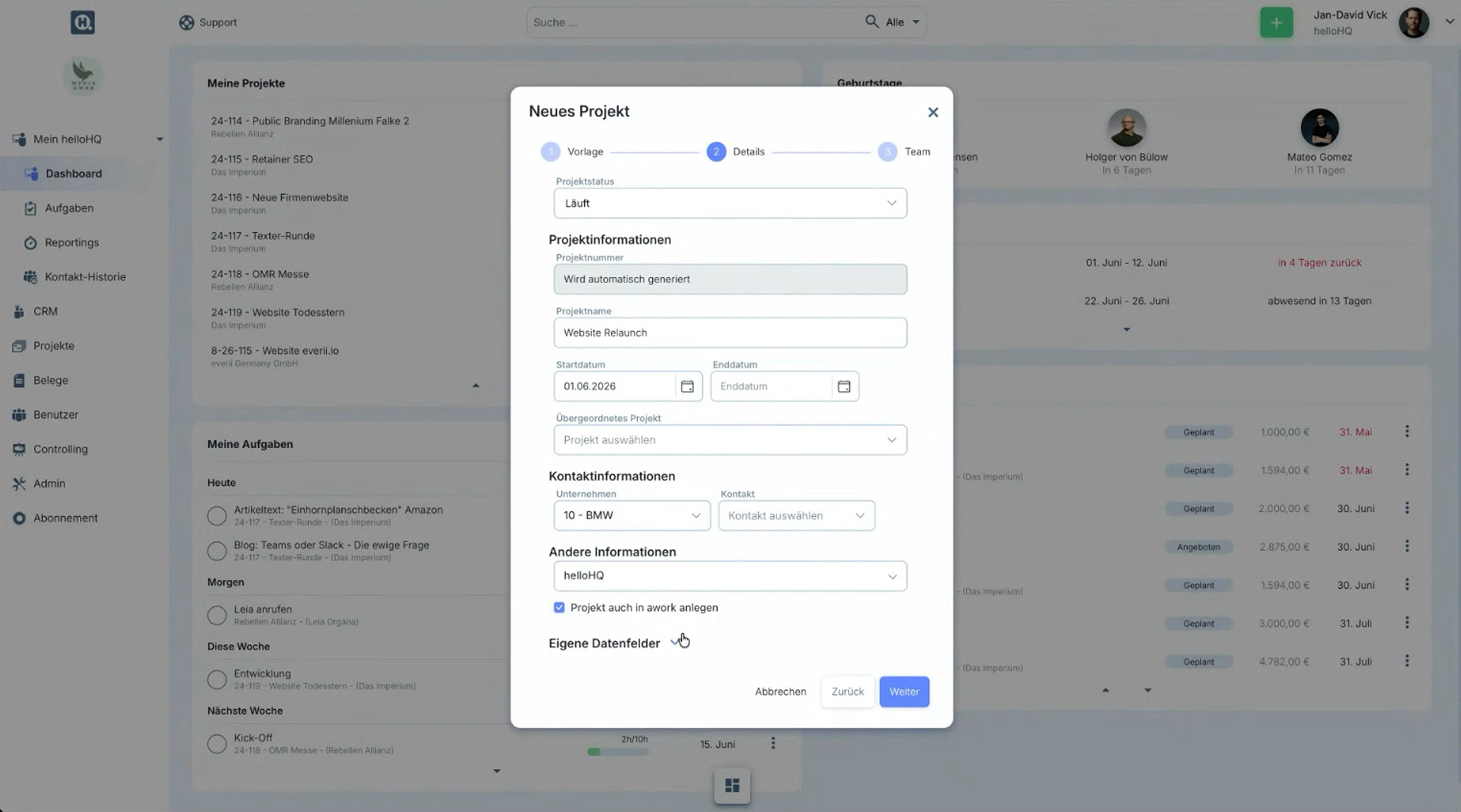
You start every shared project in helloHQ and choose a template named identically in awork. Through that name, the automations stored in awork take effect the moment the sync runs. helloHQ then pulls the client data from the CRM, and the project is ready for the quote.
You maintain the templates once per tool. The contents differ, because a finance tool needs different fields from a planning tool. You only watch for matching names – the rest of the setup stays minimal. When you create the project, switch on the option to create it in awork as well, so the sync starts.
[.no-toc]How do you cost the quote and forecast revenue?[.no-toc]
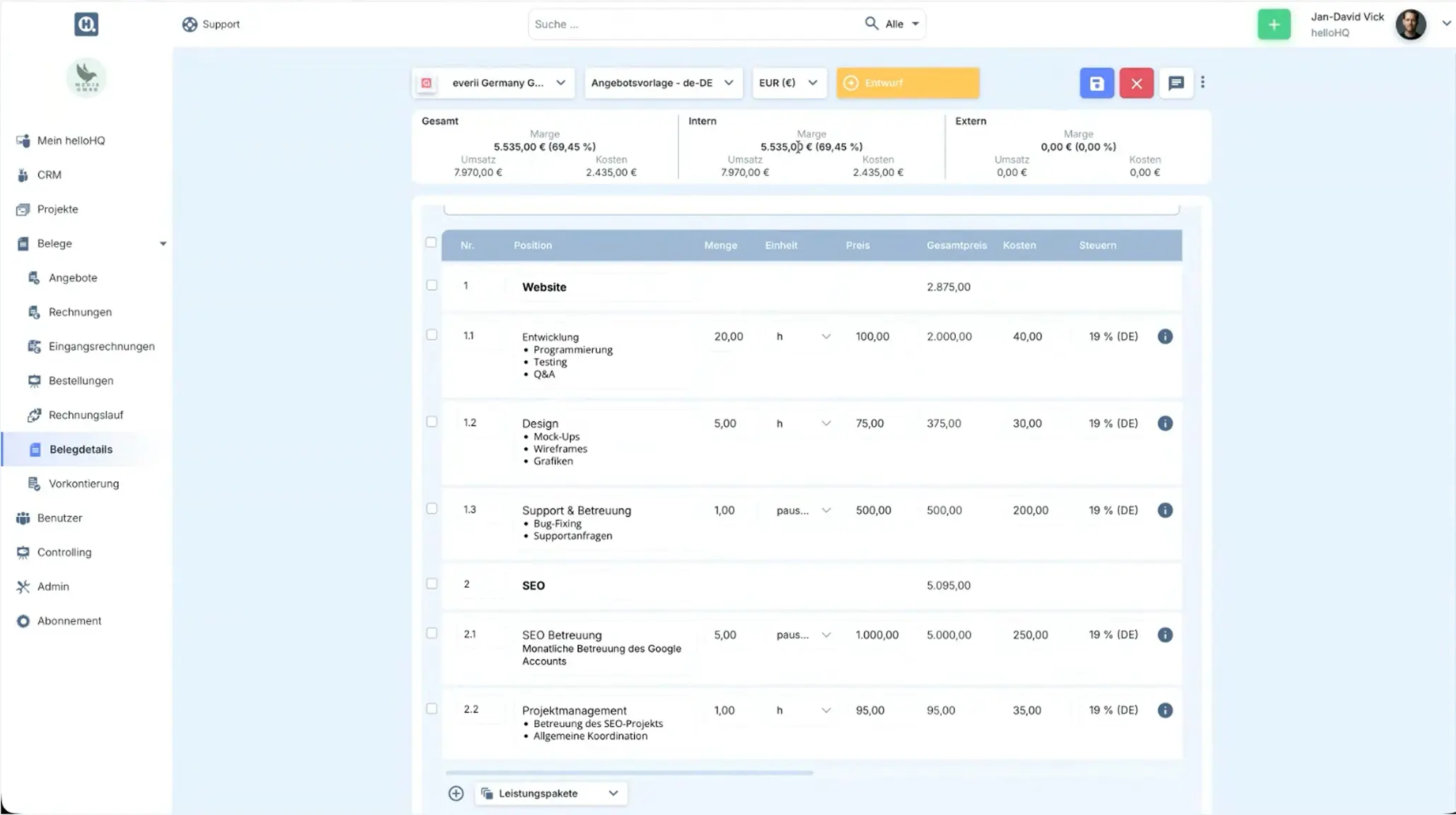
You write the quote in the documents tab and pull in service packages, for example a website relaunch combined with an SEO package. helloHQ calculates the margin straight away, because prices and costs are stored in the service catalogue. Client prices run through rate groups and apply automatically when you pull in a service.
The service periods matter for the sync. Already in the quote you define when you deliver which service – those start and end dates flow into the awork tasks. When you save, helloHQ asks whether you want to forecast the planned revenue, and proposes billing dates per phase. That way your revenue forecast takes shape right as you draft the quote.
[.no-toc]How does the project reach awork?[.no-toc]
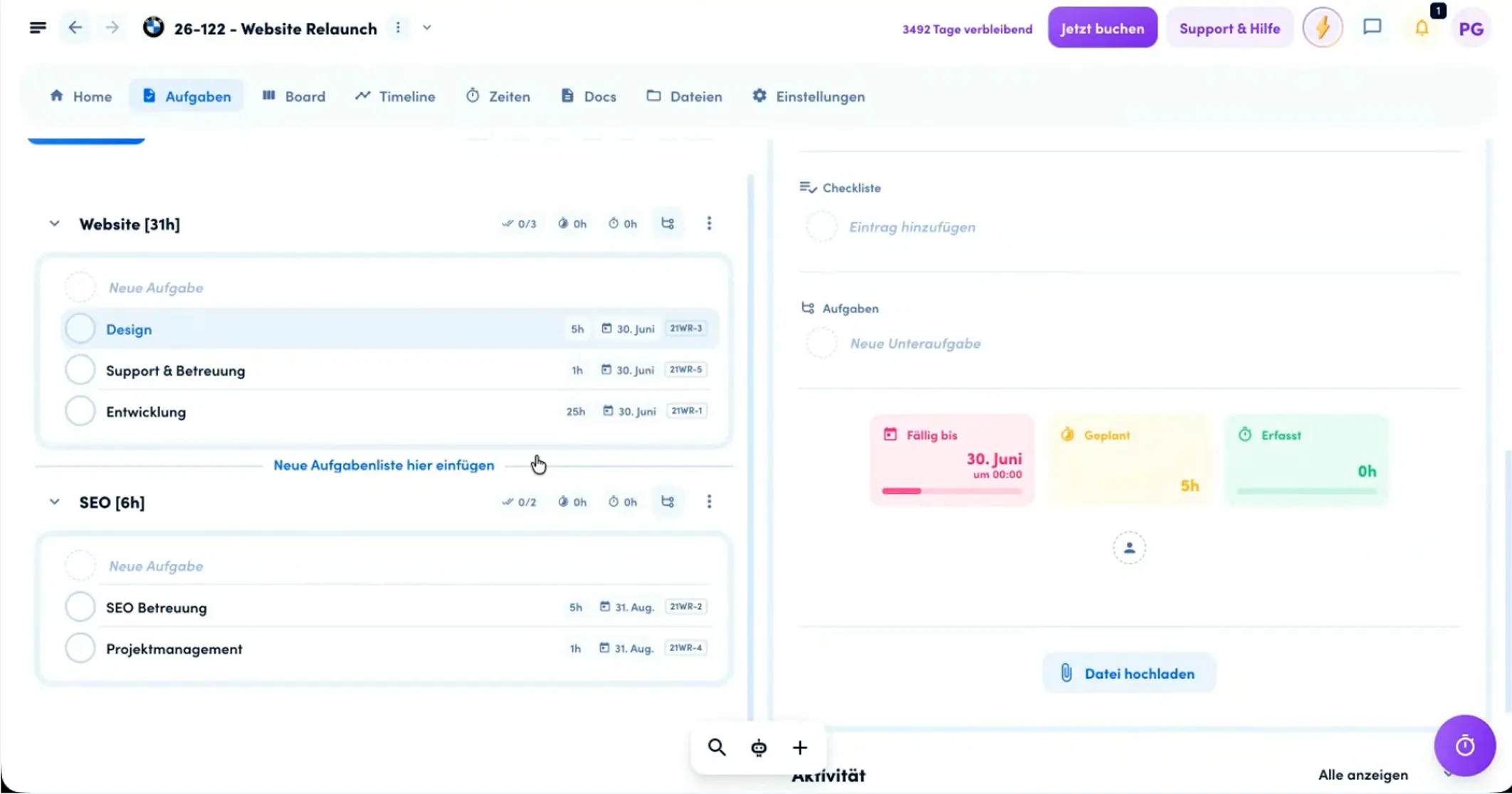
As soon as you create the project plan, helloHQ turns the quote items into tasks and syncs them to awork. "Website" and "SEO" become task lists, with the associated tasks beneath them, complete with due dates and the planned time values from the quote.
In awork, each task goes further into detail. You add status, description, subtasks, checklists and custom fields for priorities or links to other tools in your tech stack. The planned value carried over per task drives resource planning directly: the overall time budget is distributed across the individual tasks and forms the basis for every utilisation calculation across your teams.
[.b-button-primary]Efficiently execute project plans[.b-button-primary]
[.no-toc]How do you plan your teams' utilisation?[.no-toc]
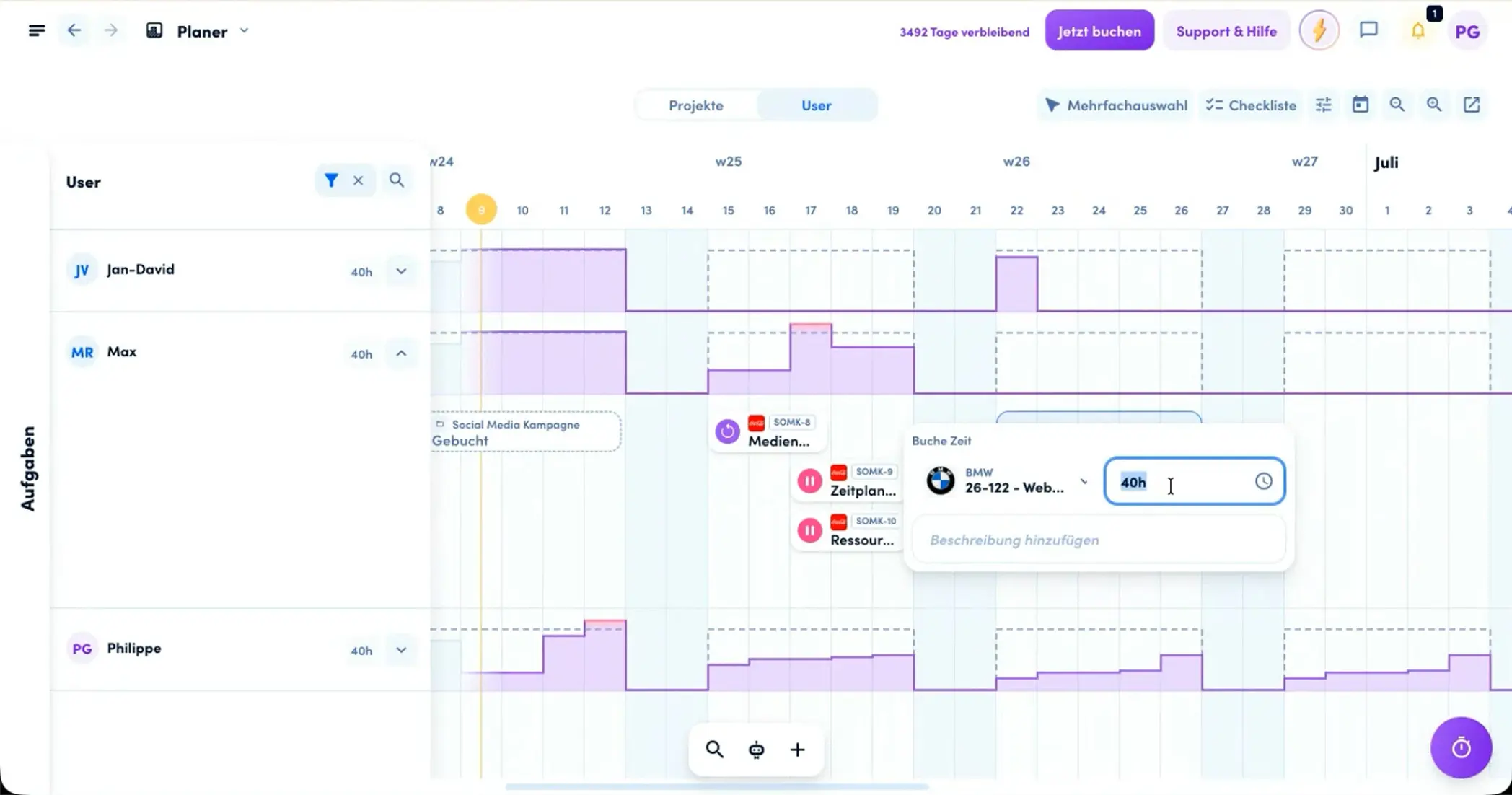
You plan your teams' capacity in the awork Planner with live data rather than estimated resources. Per team member, you see the weekly capacity and the actual utilisation. Three sources come together: connected calendar appointments, absences and the planned time efforts from the tasks. That produces the real free capacity.
Otherwise capacity planning fails at the same point: outdated information. Tables and static boards show a snapshot, not the reality of spontaneous requests and sick days. You map disciplines through teams and refine them with tags such as Creative Director, Senior or Junior. Whether you plan finely at task level or more broadly at project level, for example for a client project right after the pitch – both give you the same live view.
[.b-button-primary]Plan projects across teams[.b-button-primary]
[.no-toc]How does your team track time and push it back?[.no-toc]
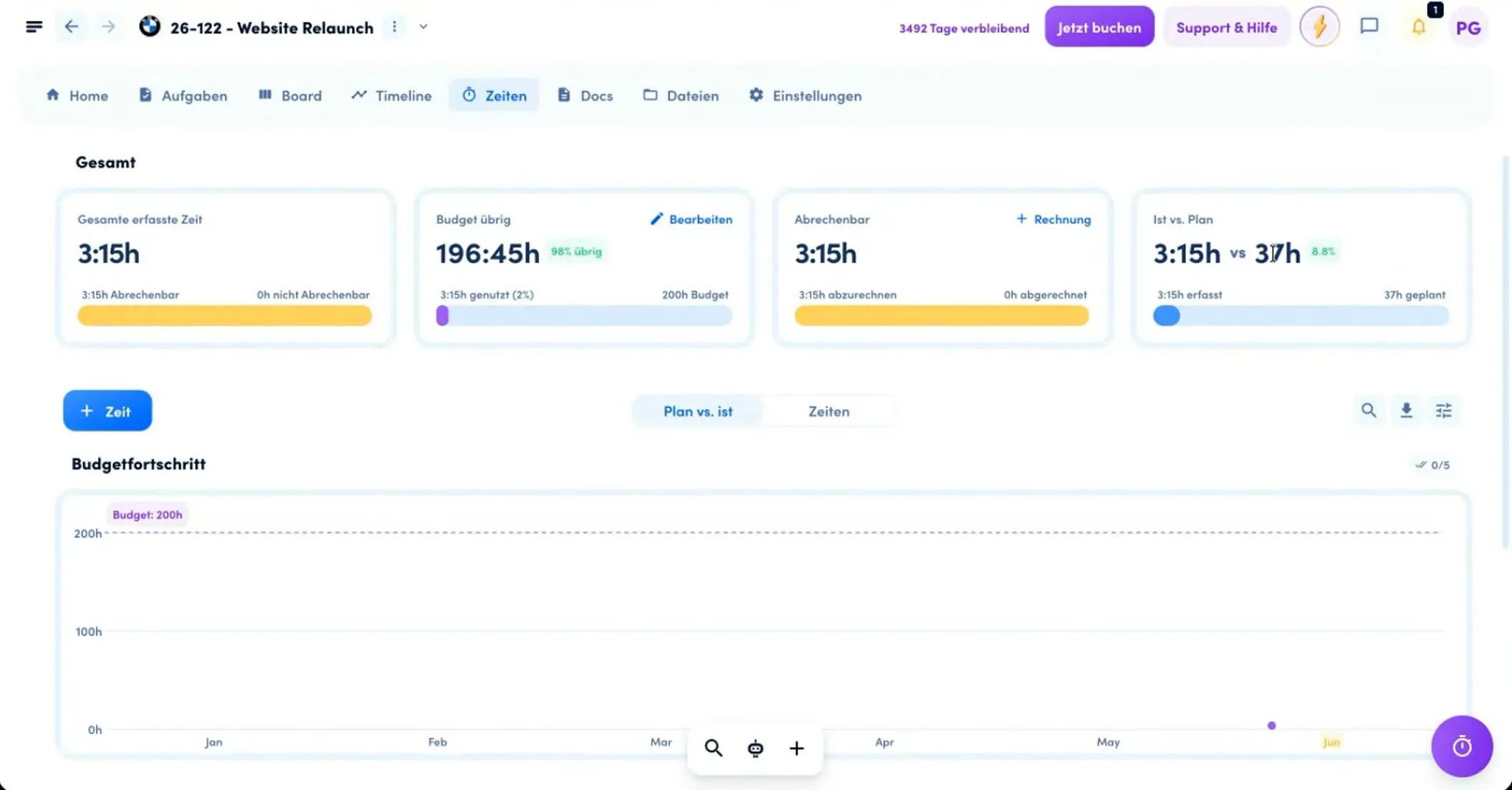
Your team tracks time in awork wherever it works: with a stopwatch on the task, from calendar entries, or manually at task, project or client level. You mark tracked time as billable and assign it to a task. awork syncs this time live to helloHQ.
In helloHQ the time appears in reporting on the matching tasks and is immediately ready for invoicing. In this setup awork is the leading time-tracking tool, helloHQ the commercial evaluation. Automations cut the effort further – for example a notification to the project lead at 80 per cent budget utilisation, or an escalation for overdue tasks.
[.b-button-primary]Track times and control budgets[.b-button-primary]
[.no-toc]How do you invoice and control in real time?[.no-toc]
You invoice flexibly in helloHQ: a complete quote, individual project phases, a monthly retainer, or the tracked time grouped by period and phase. You attach proof of work to the invoice and pull in external costs from incoming invoices. Payments, part-payments and the dunning process are all connected.
The biggest lever is controlling. Because time and revenue flow through, you see contribution margin, plan versus actual, and forecast versus actual revenue per month. This is exactly where profitability is decided: utilisation is directly tied to revenue and billable hours, because staff costs are fixed and what counts is how much of your teams' capacity lands on billable projects. You control across the entire project lifecycle, not just at the end.
What is synced, and in which direction?
awork and helloHQ keep tasks, project names and structural data the same in both directions. Time flows in one direction – from awork to helloHQ, where you invoice it. This clear split prevents conflicts and duplicate truths between the tools.
Add extra tasks in awork and they appear in helloHQ. Write a follow-up quote in helloHQ and new tasks appear in awork. The data flow therefore follows the logic of both tools: planning structures live in both systems, while awork collects the billing-relevant time and hands it over commercially to helloHQ.
[.no-toc]What is next for the integration?[.no-toc]
Two extensions are on the way.
- An MCP is being built for helloHQ, enabling the connection to AI workflows.
- The DATEV interface is also going live, so invoices find an even more direct path into the accounts.
Both extend the end-to-end data flow beyond today's integration.
The roadmap therefore follows the goal of the setup: fewer manual steps, more automated handovers between the tools in your agency.
How do you best get started?
The best part: you can try both awork and helloHQ for free, so you can just dive straight in. You plan with your teams in awork, invoice in helloHQ, and keep budget, utilisation and the margin of your client projects in view through the two-way sync.
Already running one of the two? Then simply dock the other on a trial basis and connect them. Set up a shared project template in both tools and run one real project through the full cycle from quote to invoice. Getting started is the most fun, and it shows you straight away how smoothly your agency flows can run.
[.b-button-primary]Start a free trial[.b-button-primary]
FAQs
Which agency size suits the combination of awork and helloHQ?
The setup fits regardless of team size. awork covers planning, resourcing and time tracking, helloHQ the commercial processes. Both scale from small teams to large agencies.
Is data synced automatically between awork and helloHQ?
Yes. awork and helloHQ keep tasks and project structures the same in both directions. awork syncs tracked time to helloHQ, where it is ready for invoicing.
Where do I track time – in awork or helloHQ?
In awork. Time tracking happens where you plan and work, and then flows to helloHQ for reporting and invoicing.
How do I start a shared project in awork and helloHQ?
You create the project in helloHQ and choose a template named identically in both tools. The tasks then appear in awork via the project plan.
Can I plan capacity before the project is finally commissioned?
Yes. In awork you see free capacity per team and period in the Planner, and you plan a project roughly before all the tasks are finalised.